QA QC
To ensure high quality of apps are delivered, following are suggestions on QA QC processes.
Planning
In the monday.com board, breakdown each test cases into the following;
- Breakdown by module, e.g. work order, work permit etc.
- Define what are the goals of users trying to achieve through the app.
- List those goals as test cases, the everything is fine route.
- After all the "Perfect scenario" routes are listed, think of any other user flows that may be introduced to test the app.
- Note down the result of each test, and the date of testing performed.
Record down all the results of the test. And try to record videos when there is any bug, to allow for easier debugging if it is reproduceable.
Monday.com
The tools we used to monitor our testing and result is monday.com. We first navigate to the folder called QA QC, and inside the folder, will have an several boards with dates labelled;

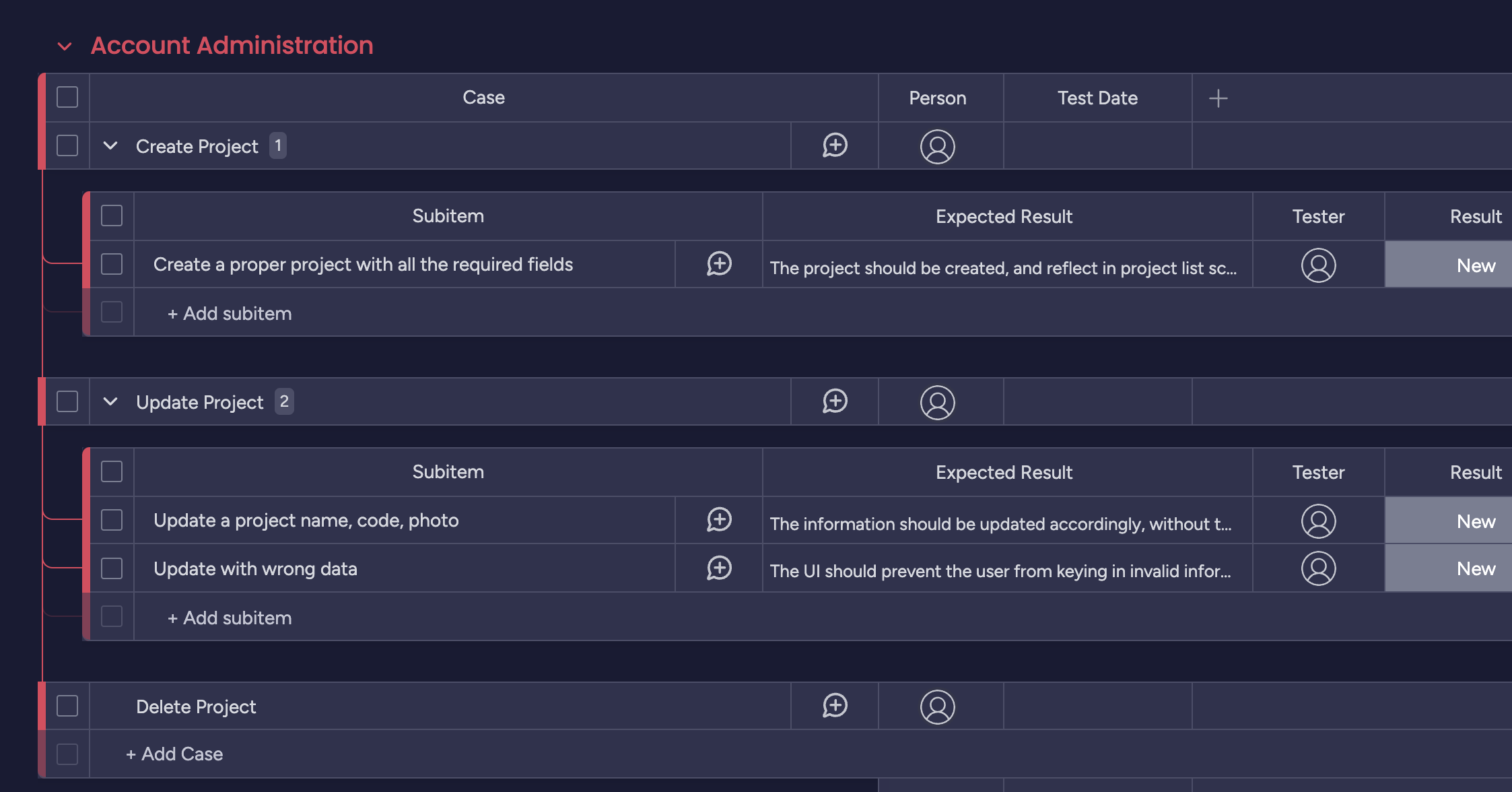
By following the rules in Planning above, the following screenshot will be how the QAQC board would look like;
QA QC Board Structure
The scope of the test cases are defined as follow using monday.com;
| Monday.com data level | To be used as |
|---|---|
| Group | Group is the highest level in monday.com, it should denote the module in Cerev CMMS, such as, Work Order / Work Permit |
| Items | Items are the rows in monday.com under group, it should define an objective of what the user is trying to achieve when the user is under the module. E.g. User is trying to create a new project, User is trying to look for vendor with highest rating, User is trying to export pdf etc. |
| SubItems | Subitems are a level lower of Items in monday.com, this is where the specific flow or action of the users to accomplish the goal would be, Be as specific as possible for each testing activity. A combination of these sub-items would allow the user to achieve the Goals detailed in Items. |
Columns of QA QC board
Items - Person + Date
This is to indicate who had performed the test, and when.
Subitem - Case
The first column of the subitem should indicate the exact activity that the user need to perform to achieve the goal detailed in Item.
Subitem - Expected Result
This should describe the expected behaviour of the software should show to the user when this activity is being performed.
Subitem - Tester
Indicate who had performed this test.
Subitem - Result
The result of the test case, whether it is failed or passed
Subitem - Fixer
The person who had performed the test.
Subitem - Is Rectified?
The status of the test being rectified.
Subitem - Version
The version which the issue is rectified.
Example
Take the following example; We want to test the flow of Work Permit module, we would open our monday.com board, and write the fol